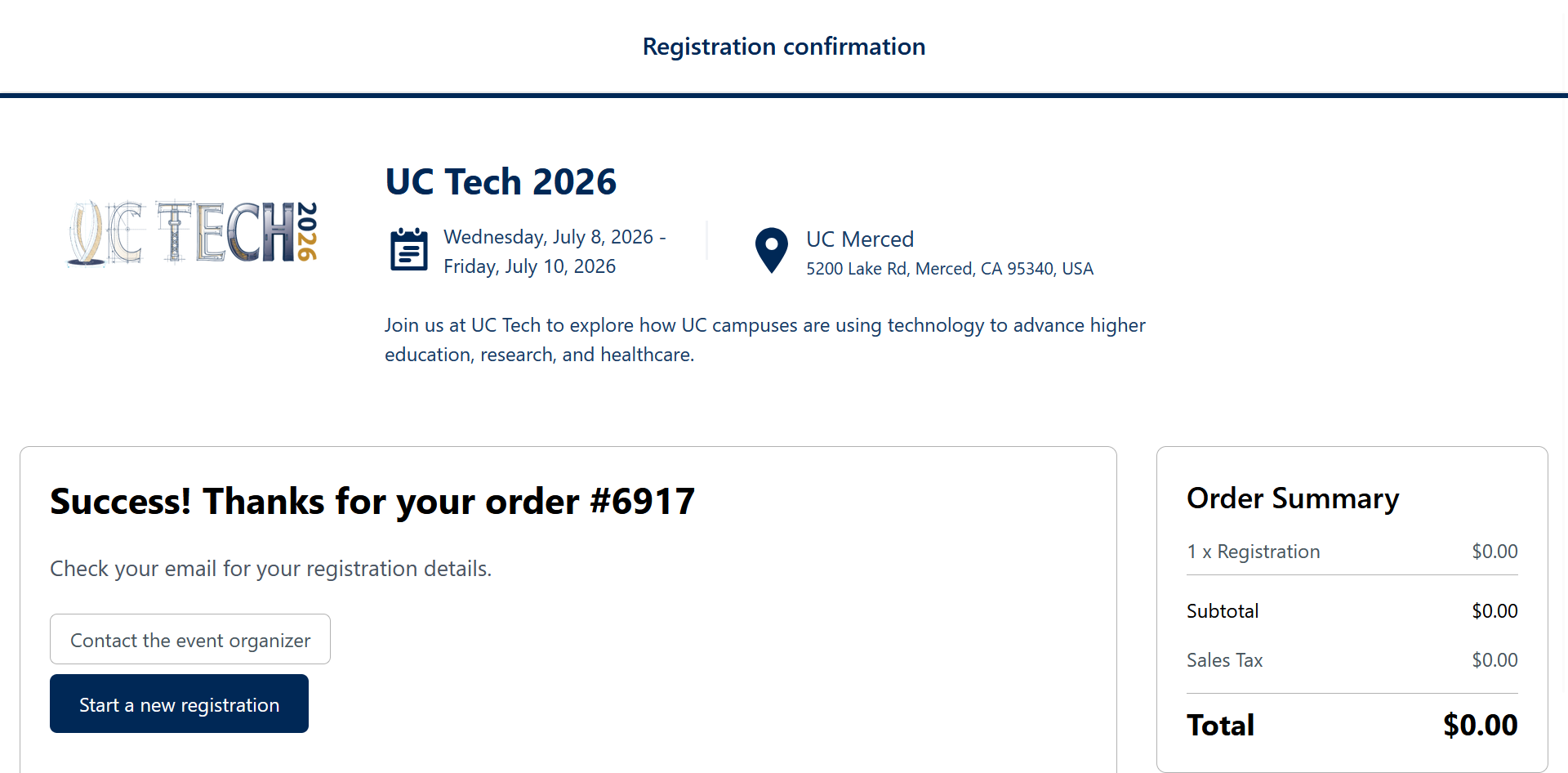

Thank you for your interest in attending the 2026 UC Tech conference hosted by UC Merced. The conference will be held in-person only from July 8-10. Registration is a two-part process. Part one is payment for the conference via Transact and part two is completing registration for the conference via Guidebook. Please use the guides below to complete the process.
NOTE: If you are registering for a group of people, you will need to repeat this process for each registrant.
If you run into issues and have questions, please visit our FAQ page or reach out to us.
Part One - Transact - Paying for UC Tech 2026
To begin registering for UC Tech 2026 you must complete the first part of the process, paying for registration. Follow the steps below to complete the payment process.
- Go to Transact.
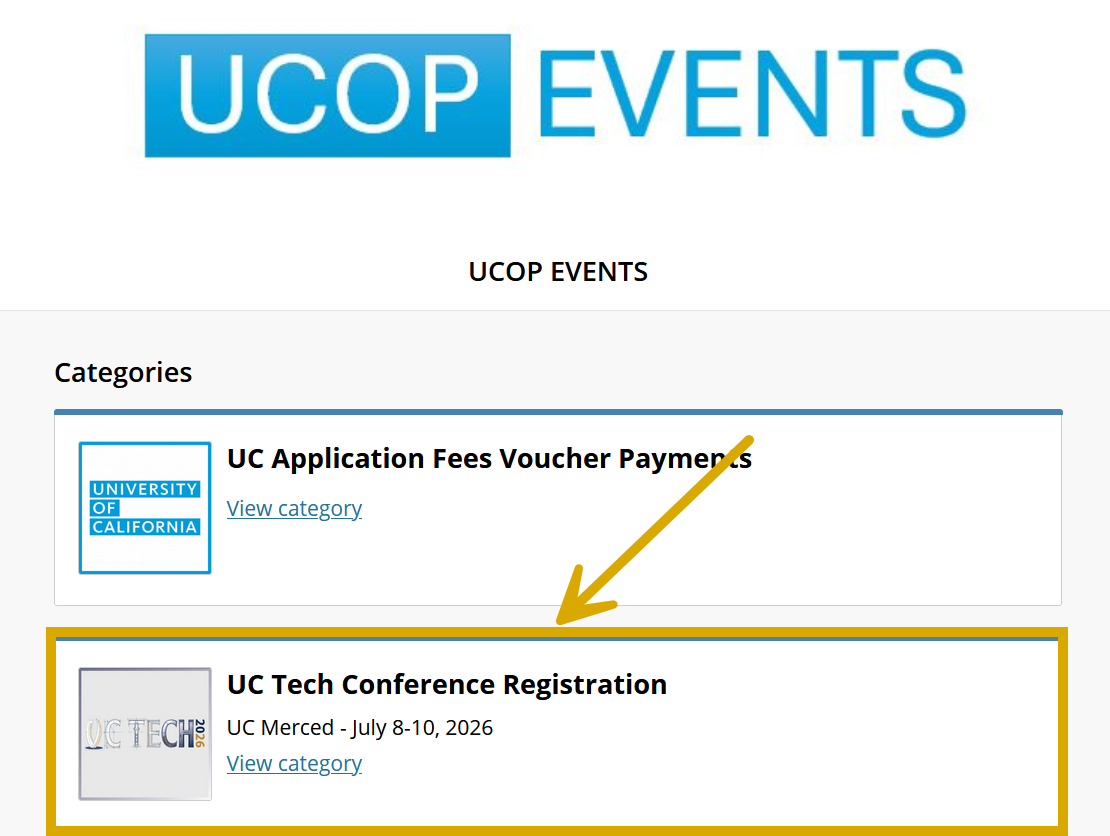
Click on "UC Tech Conference Registration" from the list of events.
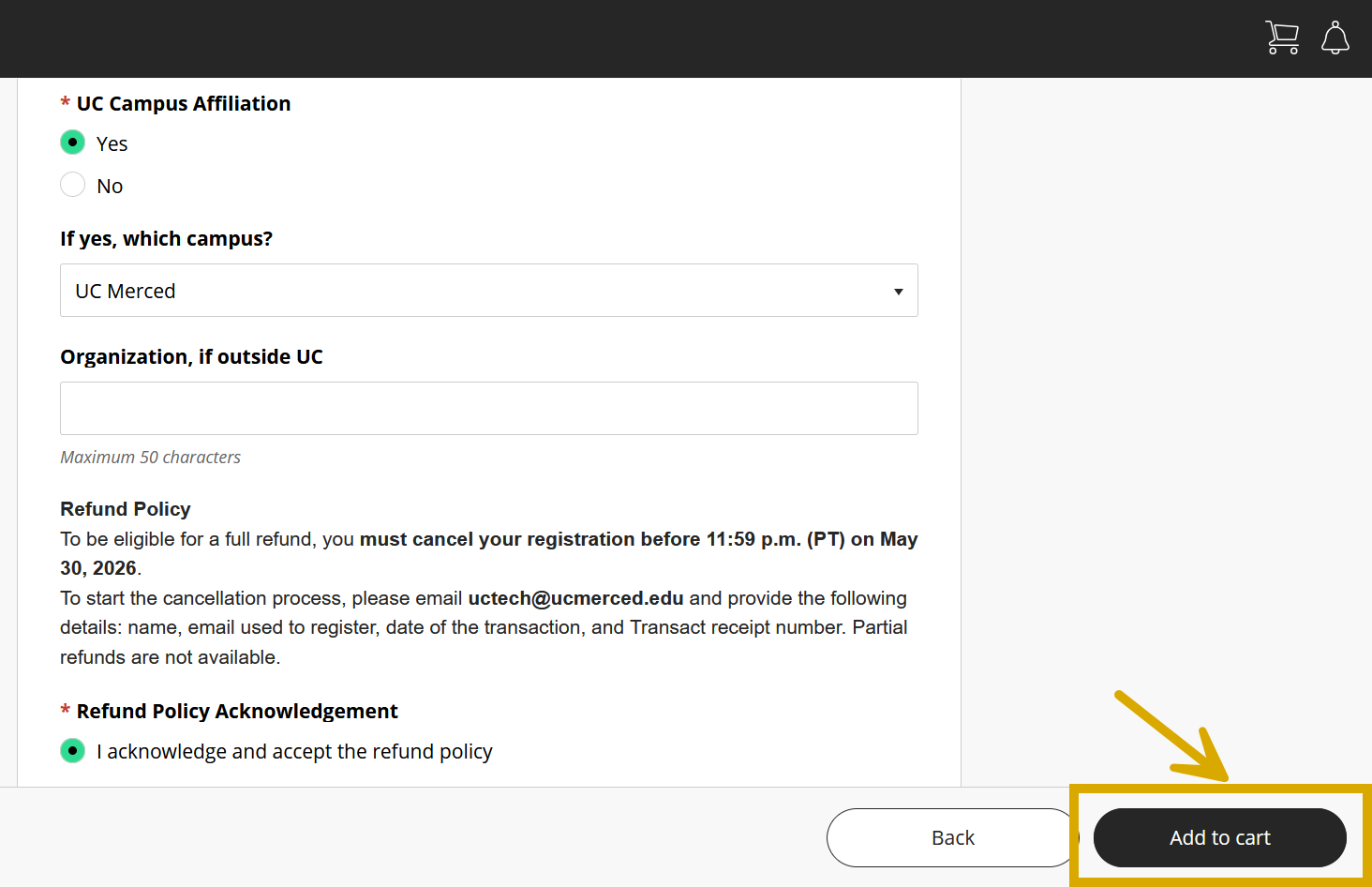
Fill out the required fields, and click "Add to cart."
NOTE:
For Vendors: please select "no" for campus affiliation and enter your organization's name in the field provided.For those registering on someone's behalf: please provide their full name in the field provided.
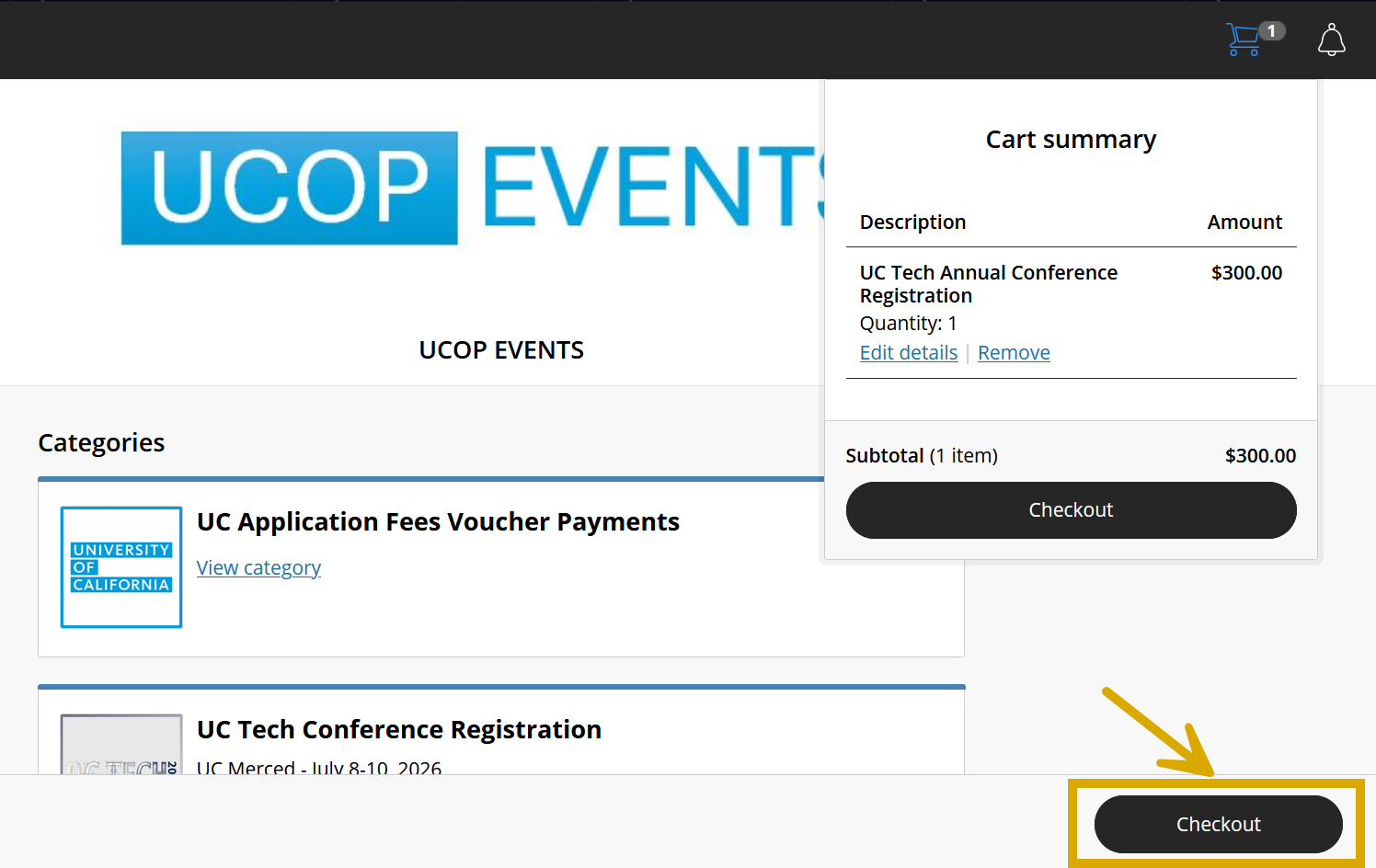
- Click "Checkout" on the list of events page.
- Click "Continue" on the first page of Checkout.
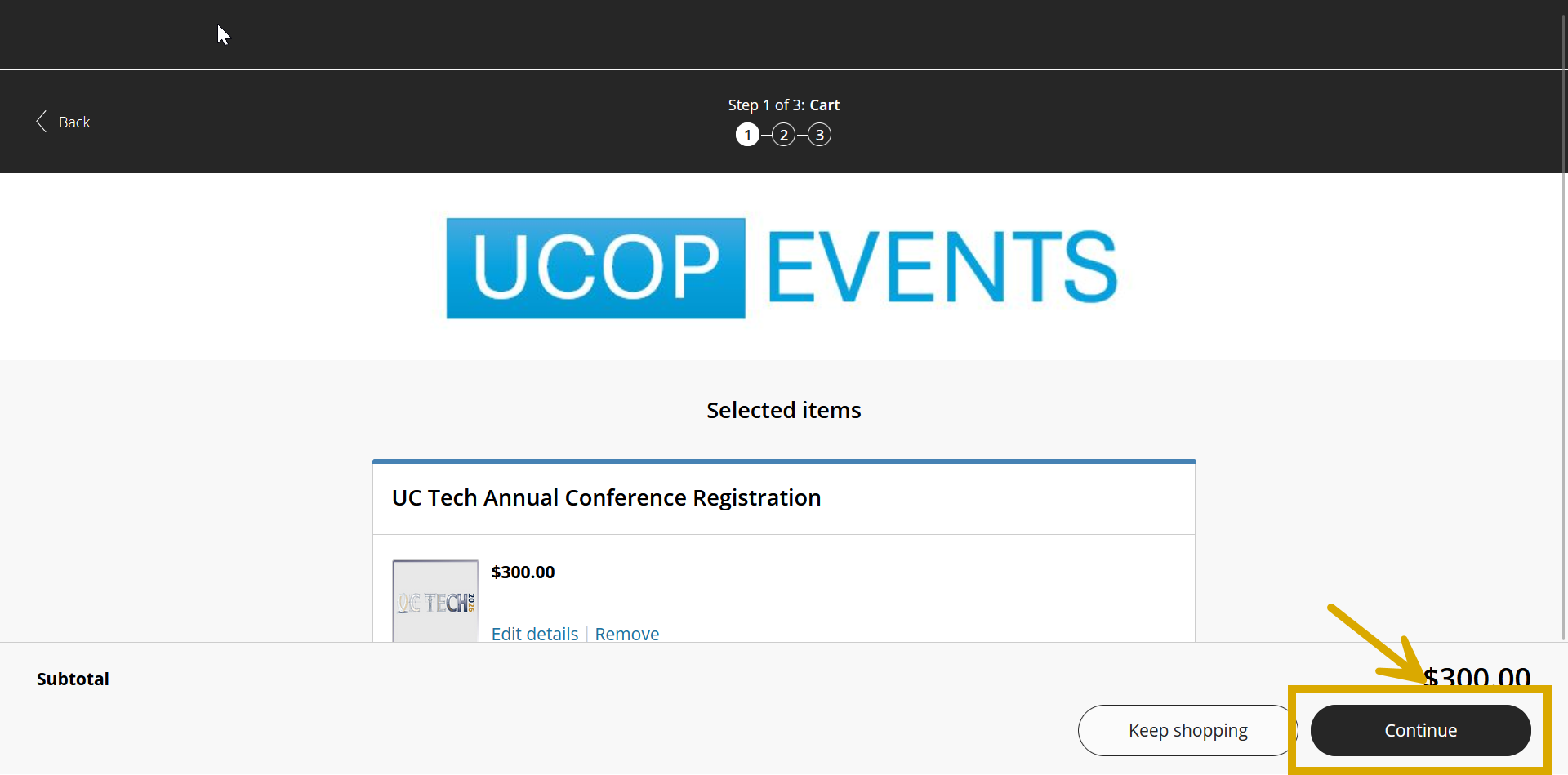
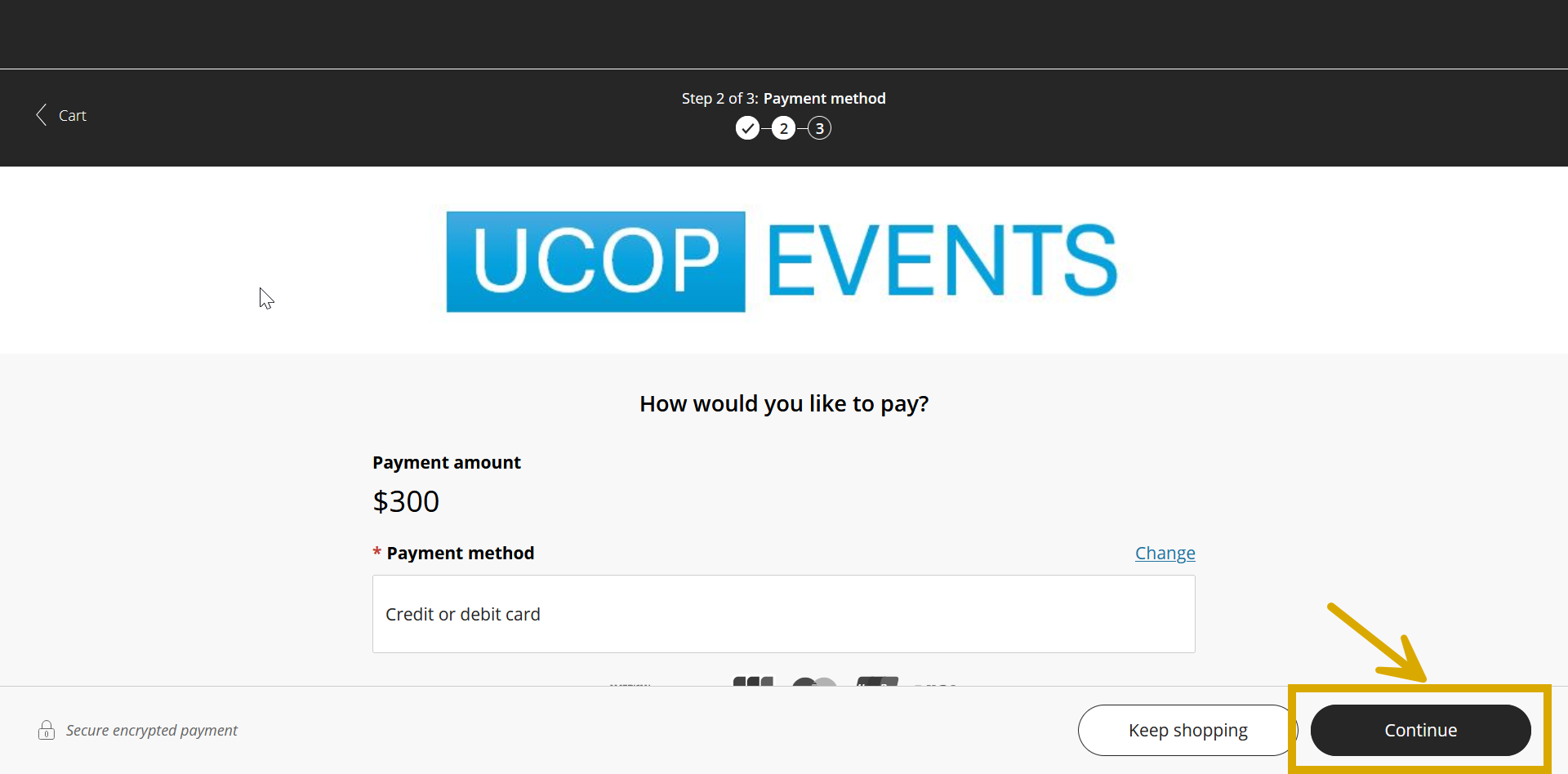
- Enter your payment method information. Once filled in, click "Continue."
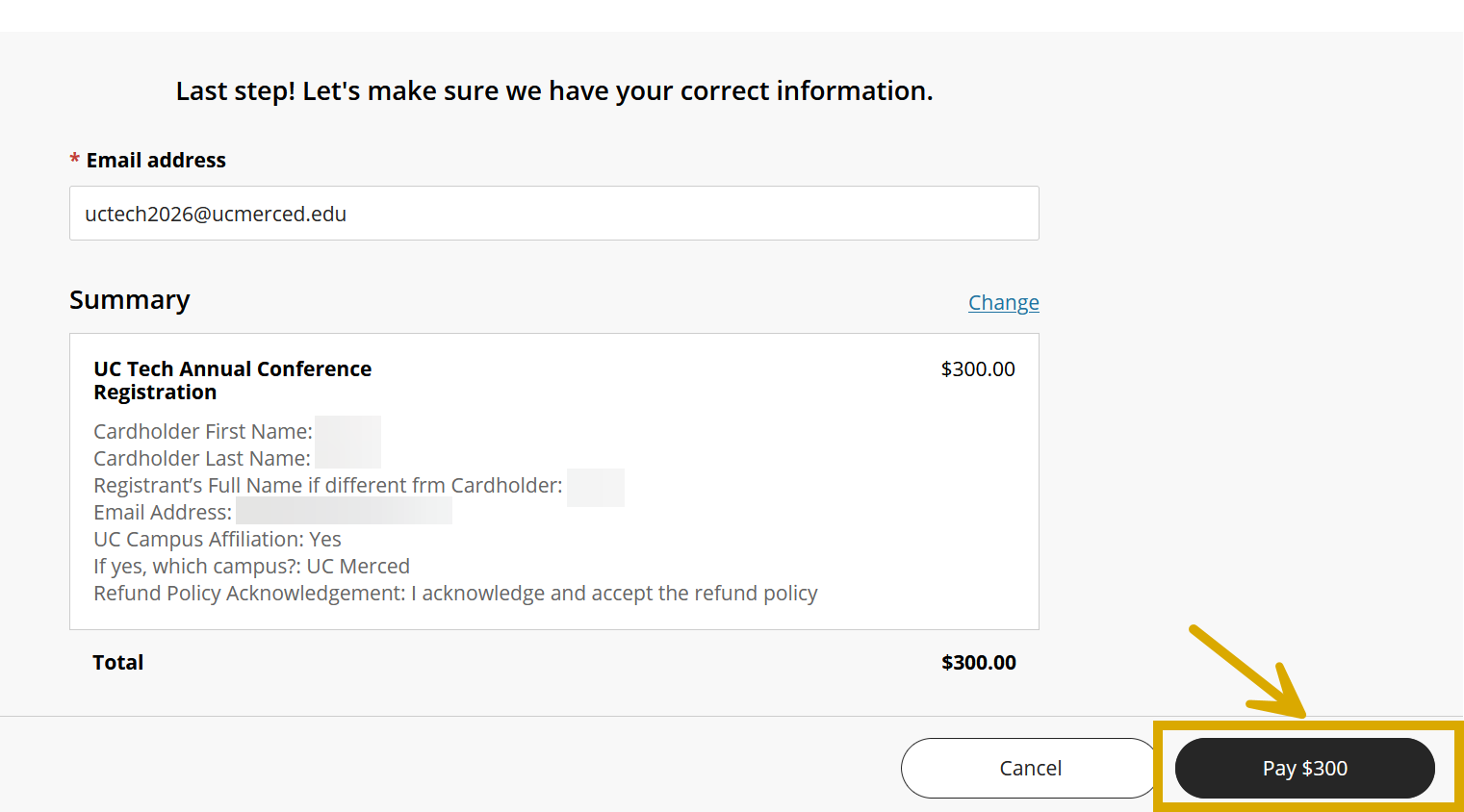
- Fill in your email and review the purchase, once filled in, complete your purchase by clicking "Pay."
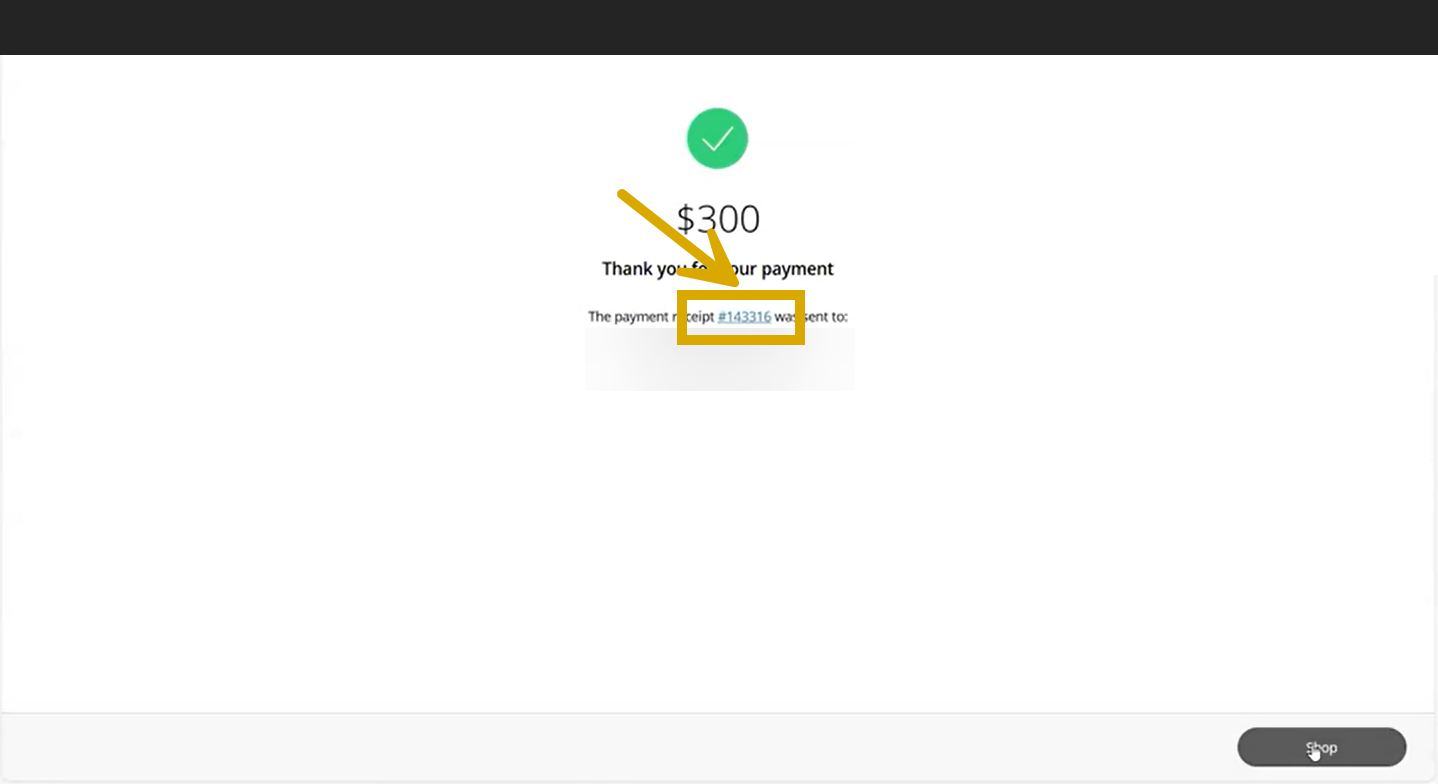
- Congratulations! You have successfully paid for UC Tech 2026 Registration! You are now ready to move to Part Two: Registering for the Conference. Please note that you will need the receipt number provided on the confirmation page in Transact and on your emailed receipt.
Part Two - Guidebook - Registering for UC Tech 2026
After you have paid for registration via Transact, you can now complete the process by registering for UC Tech 2026 in Guidebook. Follow the steps below to complete the registration process. The registration will timeout after 15 minutes.
- Go to Guidebook
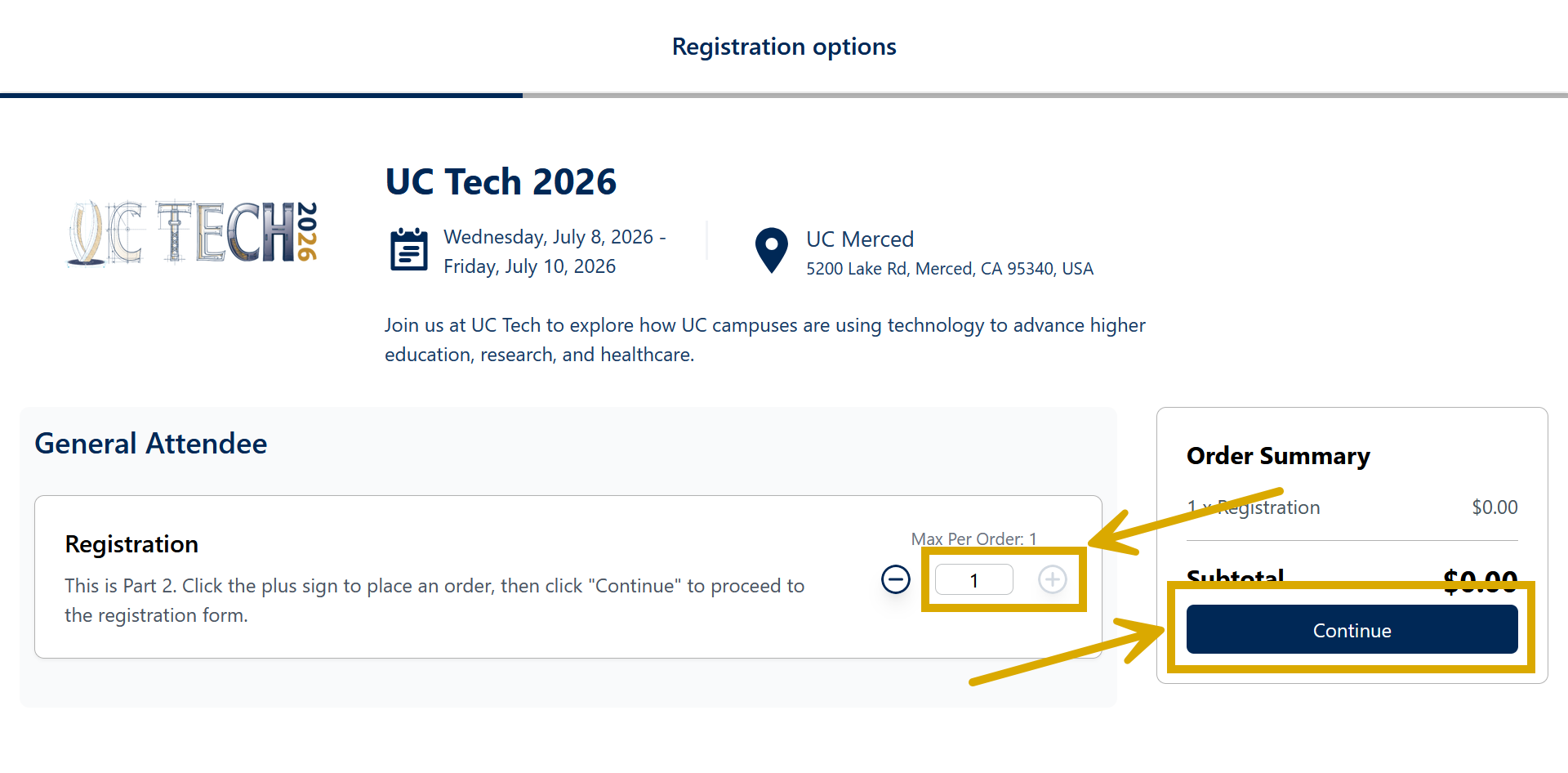
- Click on the "+" icon to set the registration quantity of one (1) and click "Continue"
Fill in the registrants information information, and click "Place Order"
NOTE:
If the registrant's information will be the same as the contact information, check the "same as contact information" checkbox
Enter the receipt number from the payment confirmation page or payment confirmation email. This ensures we can connect your payment to your registration.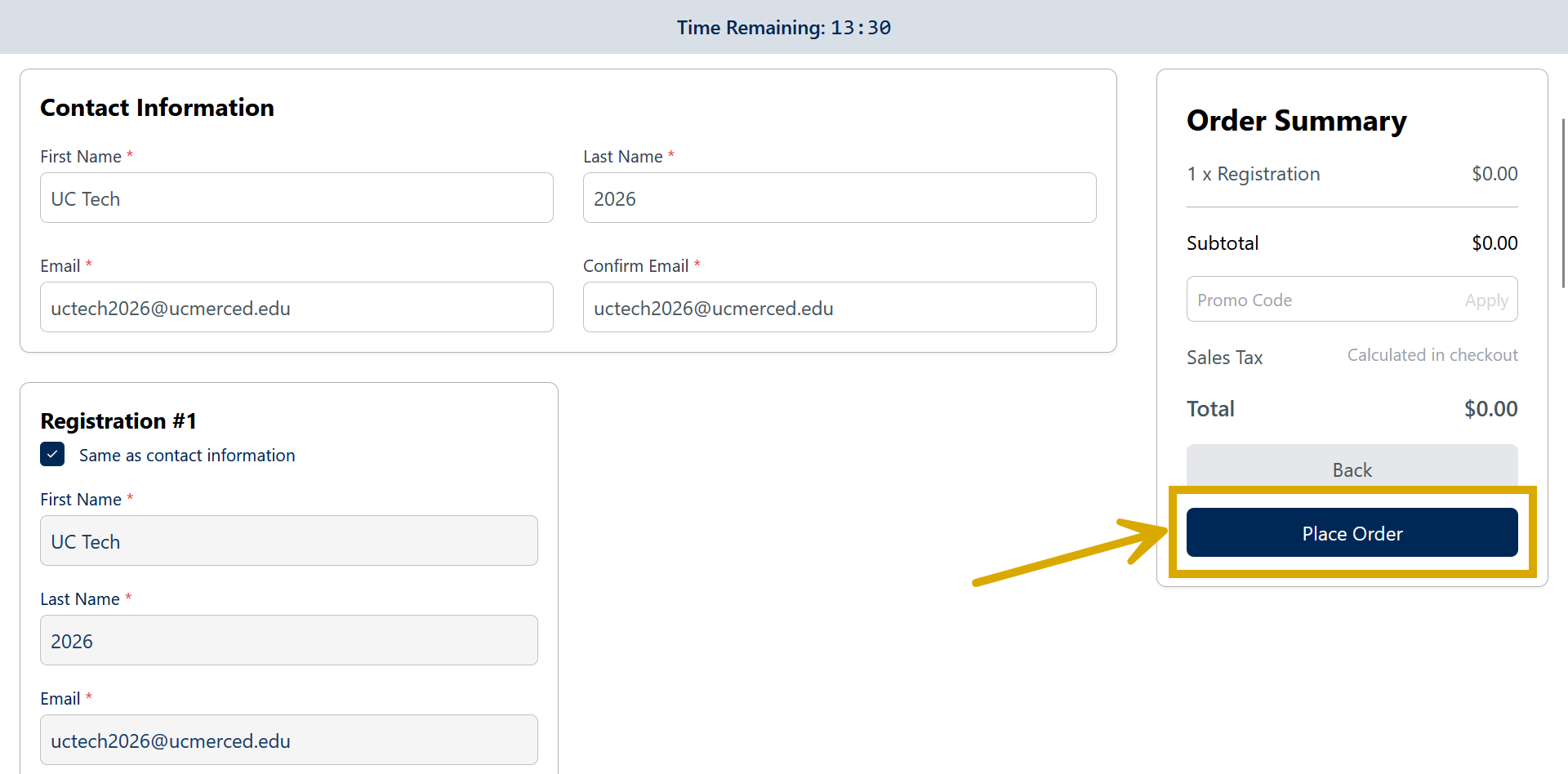
Congratulations! You have successfully registered for UC Tech 2026! If any issues arise, the team will contact you directly using the contact information provided. You will receive a receipt and confirmation email to your inbox. Please put it somewhere safe and accessible, just in case.